Learn How to Bookmark IMS Listings
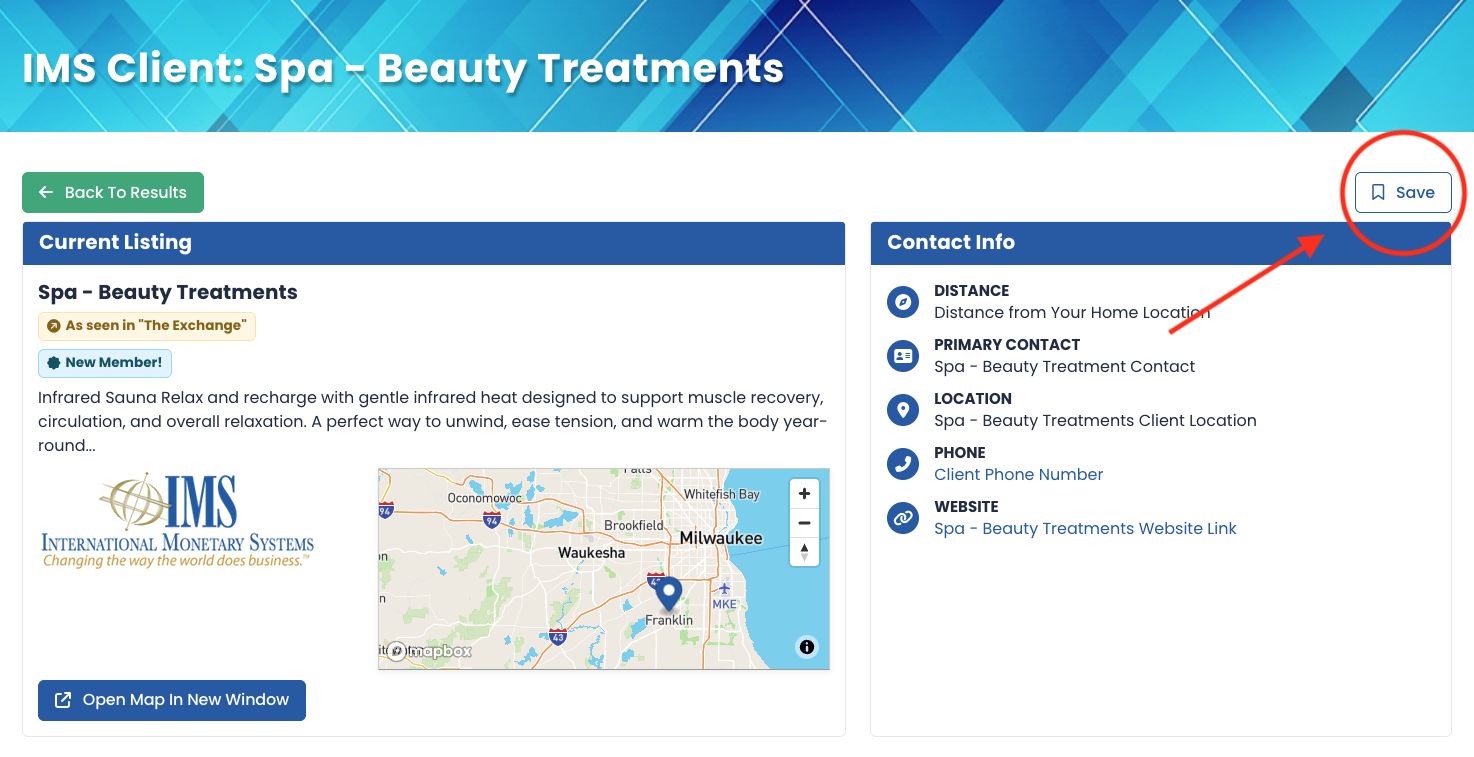
The way to search for other IMS trading partners has been updated! Now it's easier than ever to find what you need for your business or lifestyle. The IMS Client Directory now contains widgets for you to refine your search, give you ideas for future purchases, learn who's new in your market, and more! Included in this update, clients can now bookmark a directory listing, marketplace ad, travel listing, timeshare ad, or a scrip/certificate listing. Keep an eye out for the "Save" button while you browse the sections under "Buy" in our website navigation.

Even when you click a listing, the bookmark button is on the detail page. (Details have been omitted from this example for privacy. Be sure to log in to your account to view the full details of this listing!)
So, when can you view your bookmarks? Clients can view all of their bookmarks by using our navigation, clicking on "Buy", and selecting "My Bookmarks". My Bookmarks houses all of your bookmarks from different areas of the website. Go ahead, sign into your IMS Barter account and start building your lists! (Again, details have been omitted to protect our client base. Be sure to sign in to your IMS Barter account to view full details!)
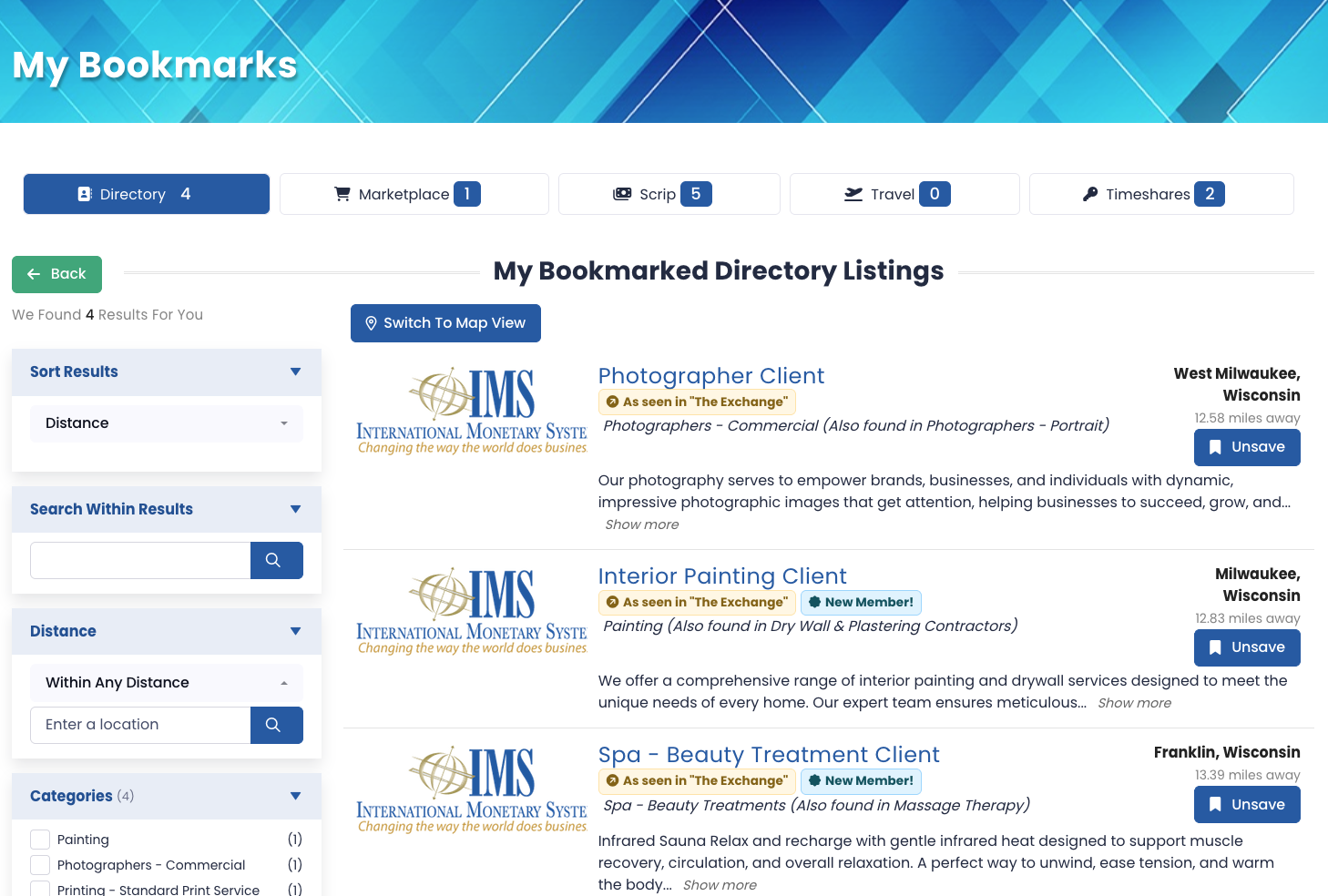
Gone are the days of adding an item from the marketplace to your cart to "wishlist" it! Enjoy the ease of bookmarking!
Categories
- 4 Ways IMS Barter Can Increase Your Bottom Line
- 7 Barter Resolutions to Improve Your Business in the New Year
- 7 Smart Reasons IMS Clients Should Invest in IMS Gift Cards
- 8 Powerful Ways to use Barter
- Business & Finance
- Friendship Marketing: The Barter Strategy Every Business Should Know
- Going Out of Your Way for Barter
- Happy Holidays from the Staff at IMS Barter
- IMS Colorado Wins at 2026 Best of Mile High
- Keep Your Top Employees & Customers
- Learn How to Bookmark IMS Listings
- Lifestyle
- Spend 15 Minutes a Day "Thinking Trade"
- The Competitive Edge: A Trade Checklist to Maximize Business Profitability
- The Key to Good Barter Experiences
- Top 4 Trades of June 2026
- Top Four Trades of 2025
- Top Four Trades of April 2026
- Top Four Trades of August 2025
- Top Four Trades of December 2025
- Top Four Trades of February 2026
- Top Four Trades of January 2026
- Top Four Trades of July 2025
- Top Four Trades of March 2026
- Top Four Trades of November 2025
- Top Four Trades of October 2025
- Top Four Trades of September 2025
- Travel
Latest Posts

Learn How to Bookmark IMS Listings

Top Luxury Stays for Your Dream Golf Vacation

Friendship Marketing: The Barter Strategy Every Business Should Know

Top 4 Trades of June 2026